
Introduction
Gaming has become one of the most popular forms of entertainment worldwide, attracting millions of players every day. If you’re new to gaming or considering an upgrade, one of the first questions you’ll face is whether to go for a PC or a console. Both options have their unique features, benefits, and drawbacks, and your choice can affect your gaming experience, budget, and even social interactions.
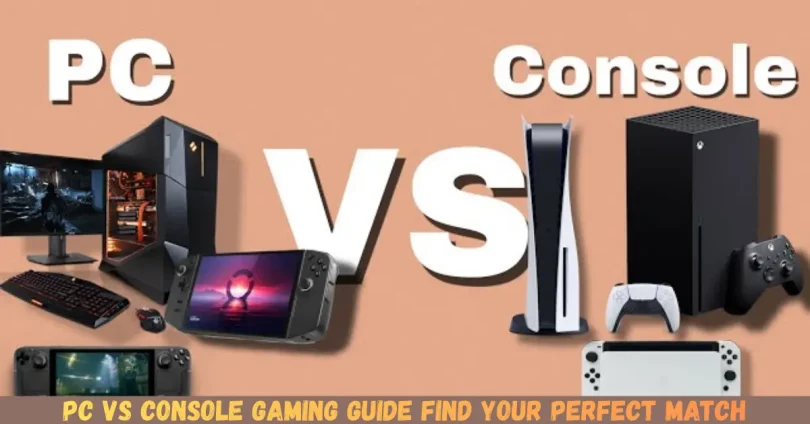
PC gaming offers powerful hardware, customizable setups, and access to a vast library of games. Meanwhile, consoles such as PlayStation, Xbox, and Nintendo Switch provide a plug-and-play experience, exclusives, and easy multiplayer options. Understanding the differences between these platforms is essential for making an informed decision.
What is PC vs Console Gaming?
PC gaming refers to playing video games on a personal computer, which could range from a high-end gaming rig to a modest laptop. Players can customize hardware like the graphics card, processor, and RAM to enhance performance. PCs also support a wide range of input devices, from keyboards and mice to controllers, and offer access to multiple online platforms, such as Steam, Epic Games Store, and Origin.
Console gaming, on the other hand, involves playing games on dedicated hardware designed primarily for gaming. Popular consoles include PlayStation, Xbox, and Nintendo Switch. Consoles are designed to be user-friendly, often requiring minimal setup, and they usually connect directly to a TV. Games are often purchased physically or digitally through their respective stores, and consoles sometimes offer exclusive titles not available on PC.
In essence, PC gaming emphasizes flexibility, performance, and customization, while console gaming focuses on convenience, simplicity, and exclusive content. Understanding these differences helps you make a choice that fits your lifestyle and preferences.
Why is PC vs Console Gaming Important?
Choosing between PC and console gaming is not just a matter of preference—it affects your entire gaming experience. Here’s why the decision matters:
- Performance and Graphics – PC gaming allows higher resolution, faster frame rates, and better visual effects depending on your hardware. Consoles usually have fixed performance but are optimized for smooth gameplay.
- Game Library – Some games are exclusive to consoles, like God of War or Halo, while others are more accessible on PC. Knowing which games you want influences your choice.
- Cost Considerations – PCs can be expensive upfront, especially high-end rigs, but games are often cheaper. Consoles are cheaper to buy but might require additional spending on subscriptions or accessories.
- Social Gaming – Consoles make local multiplayer easier, while PC gaming excels in online multiplayer with large communities and mods.
- Upgrade Options – PCs can be upgraded over time, allowing for long-term performance improvements. Consoles typically remain the same until the next generation is released.
Making the right choice ensures you enjoy gaming without unnecessary frustrations, expenses, or missed opportunities.
Detailed Step-by-Step Guide
Step 1: Determine Your Budget
Before deciding, consider how much you’re willing to spend:
- PC: Costs range from $500 for entry-level setups to $2000+ for high-end rigs. Factor in monitors, keyboards, and mice.
- Console: Standard consoles like PlayStation or Xbox cost $300–$500. Accessories, games, and subscriptions add extra costs.
Step 2: Identify Your Gaming Style
- Casual Gamer: If you prefer pick-up-and-play sessions, consoles are convenient.
- Competitive Gamer: PC offers faster frame rates, better control, and a wider selection of competitive games.
- Multiplayer Focus: Consoles are great for couch co-op, while PC has extensive online multiplayer communities.
Step 3: Consider Game Availability
Check whether your favorite games are exclusive to a platform:
- Console Exclusives: PlayStation: Spider-Man, Uncharted; Xbox: Halo, Forza; Nintendo: Zelda, Mario.
- PC Exclusives: Strategy games like Civilization, mods for games like Skyrim, and certain indie titles.
Step 4: Assess Hardware Needs
- PC Hardware: Look at CPU, GPU, RAM, and storage. High-end components provide better graphics and smoother gameplay.
- Console Hardware: Consoles are optimized for games, so you don’t need to worry about specs.
Step 5: Evaluate Online Services and Subscriptions
- PC: Platforms like Steam or Epic Games often offer sales, free games, and online matchmaking.
- Console: PlayStation Plus, Xbox Game Pass, or Nintendo Online offer multiplayer access and free monthly games.
Step 6: Check for Portability and Space
- PC: Gaming PCs are less portable; laptops are an option but may compromise performance.
- Console: Consoles are compact and easy to move, ideal for shared living spaces or traveling.
Step 7: Decide on Upgradeability
- PC: Can upgrade components individually to improve performance over time.
- Console: Hardware upgrades are rare; usually, you wait for the next generation.
Benefits of PC vs Console Gaming
Benefits of PC Gaming
- Customizable hardware and peripherals
- Higher graphics settings and frame rates
- Large library of games including indie and mods
- Ability to multitask and use non-gaming software
- Frequent sales and cheaper game options
Benefits of Console Gaming
- Simple plug-and-play experience
- Optimized for smooth performance
- Great for local multiplayer and couch gaming
- Access to exclusive titles
- Lower upfront cost compared to high-end PCs
Disadvantages / Risks
PC Gaming Disadvantages
- High initial investment for quality hardware
- Requires technical knowledge for upgrades or troubleshooting
- Can be less portable than consoles
- Some games may require constant updates or patches
Console Gaming Disadvantages
- Limited hardware customization
- Exclusive games may be unavailable on PC
- Subscriptions for multiplayer add recurring costs
- Performance may not match high-end PC gaming
Common Mistakes to Avoid
- Ignoring Total Cost of Ownership – Don’t forget accessories, subscriptions, and peripherals.
- Choosing Based on Hype – Base your decision on your gaming style, not trends.
- Overlooking Game Library – Check which games are available before buying.
- Neglecting Upgradability – PC can be upgraded; consoles cannot.
- Assuming Higher Price = Better Experience – Expensive hardware doesn’t guarantee fun or skill improvement.
- Ignoring Online Features – Multiplayer needs differ on PC and consoles.
FAQs
1. Can I play the same game on PC and console?
Some games are cross-platform, allowing play on both PC and consoles. However, exclusives may only be available on a specific platform.
2. Which platform is better for competitive gaming?
PC generally offers better performance, faster response times, and customizable controls, making it ideal for competitive play.
3. Are consoles more beginner-friendly?
Yes. Consoles are plug-and-play, with less setup and technical knowledge required. They are beginner-friendly and perfect for casual gamers.
4. Can I upgrade a console like a PC?
Consoles have limited upgrade options. Usually, upgrades are restricted to storage or accessories, unlike PCs which can be upgraded component by component.
5. Which platform is more cost-effective in the long run?
It depends. Consoles are cheaper upfront, but PC games are often cheaper over time. PC allows upgrades instead of buying a whole new system every few years.
6. What about online multiplayer?
Both platforms support online multiplayer, but PC has larger communities and more options for mods. Consoles require subscriptions like PlayStation Plus or Xbox Live.
7. Are there performance differences between PC and console?
Yes. PCs can offer higher resolutions, better frame rates, and advanced graphics. Consoles are optimized for performance but are fixed in capabilities.
8. Can consoles connect to PCs for gaming?
Some games offer cross-play, allowing console and PC players to play together. However, this feature is game-dependent.
Expert Tips & Bonus Points
- Mix and Match: Some players use both PC and console to enjoy exclusive games on each platform.
- Check Sales: PC platforms frequently offer discounts, sometimes cutting prices by 50–70%.
- Consider Ergonomics: A comfortable setup improves long gaming sessions on PC, while consoles are better for relaxed, casual play.
- Streaming and Recording: PCs are better for streaming gameplay and content creation due to better software options.
- Controller vs Keyboard/Mouse: Try both; some games are easier with a controller (sports, racing), others with keyboard/mouse (FPS, strategy).
- Future-Proofing: Invest in a PC if you want long-term upgrades; consoles are typically replaced every 5–7 years.
Conclusion
Choosing between PC vs console gaming ultimately depends on your priorities, budget, and gaming style. PCs offer flexibility, high performance, and a vast library of games, making them ideal for competitive players or those who enjoy customization. Consoles provide convenience, exclusive titles, and easy multiplayer experiences, perfect for casual gamers or those who prefer a plug-and-play setup.
Both platforms have unique strengths and limitations, and the right choice varies for each gamer. By evaluating factors like cost, game library, performance, and social gaming needs, you can make an informed decision.